Rebuilding Ad Studio around what people could see
For ImagineArt
Web and mobile app
Outcomes
- 81%
- Paid generations that succeed, up from 69% in June
- 8x
- Weekly users after the studio opened to Free
- 9 in 10
- Failures traced to two causes the redesign removes
Overview
This is the project where I stopped trusting the brief and started trusting the failure log. The brief said the AI was letting people down. The log said the interface was.
ImagineArt is an AI creative suite with over a million users. Ad Studio is the part that makes image and video ads. It launched in June 2026 as a prompt bar with a few hidden buttons, and in July it opened to Free users. The team wanted it redesigned for web and mobile before the end of the quarter.
My role
- Product design
- Analytics review
- UI and interaction design
- Mobile design
- Hand-off
Team
- Product manager
- Front end engineer
- Back end engineer
- Growth specialist
- QA
Scope
- July to September 2026
- Web and mobile
- Live product with paying users
- Free tier opened mid project
Users and audience
- - Solo creators making ads for their own channels
- - Small agencies running several brands at once
- - Founders and shop owners with one product and no designer
- - From July, a large Free tier trying the tool for the first time
Problem statement
How might we make an ad maker where every choice is visible before you spend a credit, nothing you can click fails because of your plan, and the whole thing fits on a phone screen.
Process
Started by reading every failed generation in Mixpanel before opening Figma
Our growth specialist pulled the failure log and I went through each reason. Nine in ten failures were a plan gate or an empty prompt. Real model errors were under sixty across four months. That one table replaced the brief.
- Model not allowed on this plan10,211
- Prompt is required1,891
- Insufficient credits804
- Real generation errorsunder 60
Failed generations, June to September 2026. Staff and test accounts excluded.
| Reason | Count | Meaning |
|---|---|---|
| Model not allowed on this plan | 10,211 | Free users were offered models their plan could not run. |
| Prompt is required | 1,891 | People pressed Create with nothing typed. |
| Insufficient credits | 804 | Expected. Credits ran out. |
| Real generation errors | under 60 | The model was fine. |
Looked hard at the version we already had
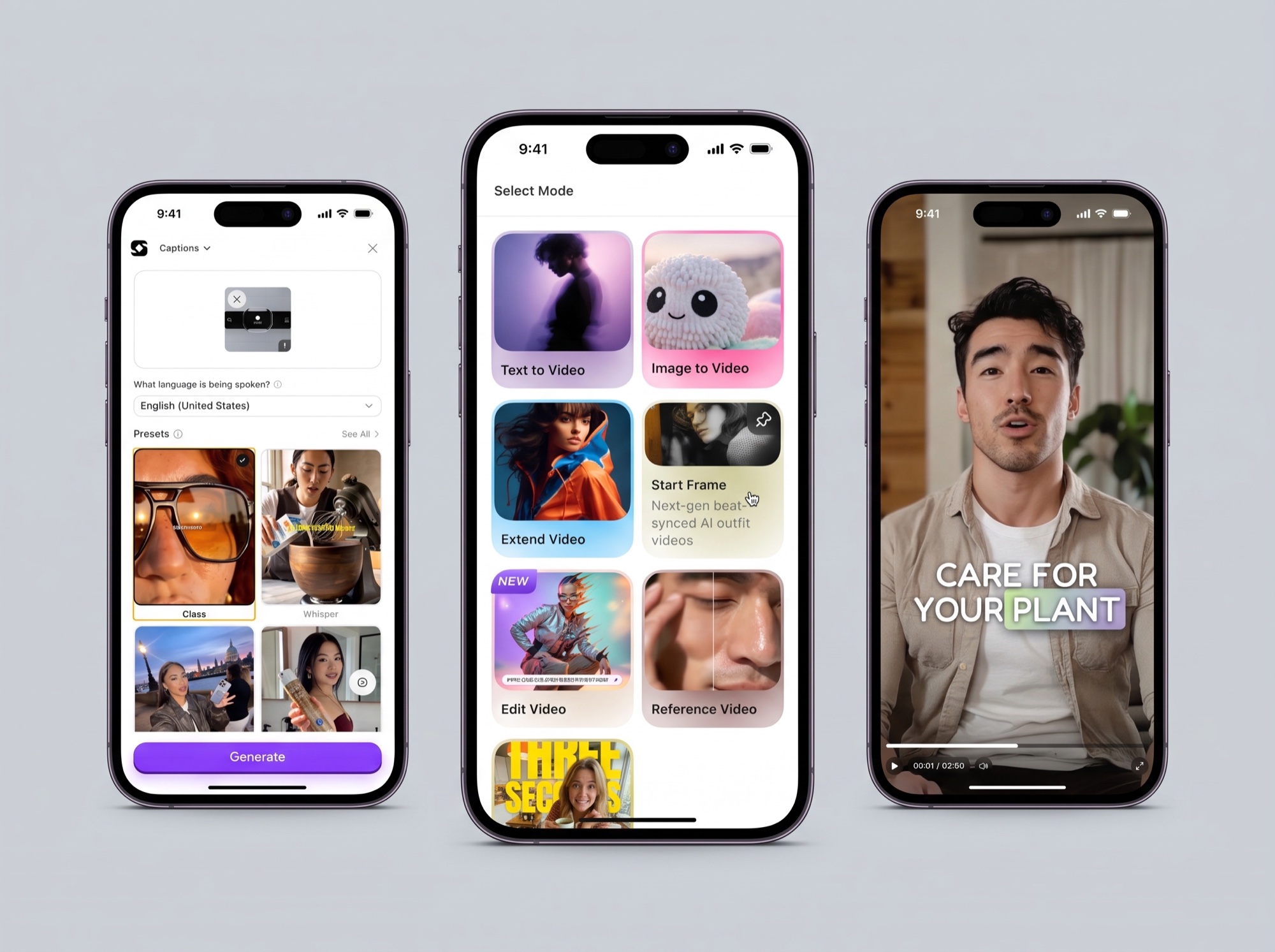
The old studio was a prompt bar at the bottom of the screen. Product and Avatar were plus buttons that opened modals over the page. Scenes, styles, formats and models existed, but only if you knew to type them. People typed once, tried again, and left.
Spent a week making the same ad in OpenArt and Higgsfield
Both lead with the model and make you upload your product every time. That works for people who know what Seedance and Veo are. Ours do not and should not have to. So we led with the ad and moved the model to a field you only see when it matters.
Replaced the prompt bar with a rail of five cards
Scene, Product, Avatar, Visual Reference, Style. Each card says what it does in a sentence. The prompt sits below them and is optional, because 1,891 people had pressed Create on an empty box. Generate is one button.
The PM and the CEO wanted a dozen controls so nothing from the old product was missing. I argued for five, because five is the number of decisions that change an ad. We shipped five.
Turned every choice into something you can point at
Each card opens a panel of real examples. Scenes are photographs. Products and avatars live in a saved library with search and upload in one place, so you pick your product once and it follows you.
Made every result a starting point, not an ending
A finished ad opens with Relight, Camera Angles, Variate, Background Changer, Upscale and Edit. Beside it a panel lists what made it. A result you can read is a result you can fix, which is the answer to failures nobody could explain.
Rebuilt mobile as one screen
The old flow was a modal inside a modal. The new one is a single scrolling screen with Create under your thumb. Video adds hook, model, length and quality on the same screen. The model field is there so the plan gate shows before Generate, never after.
Rolled out at the end of September
The new studio went live on web and mobile in the last week of September. Paid users were already succeeding more often than in June, and the two failure types that made up nine in ten failures now have a design answer. I will add the October numbers when there is a full month of them.
Outcomes
- 81%
- Paid generations that succeed, up from 69% in June
- 8x
- Weekly users after the studio opened to Free
- 9 in 10
- Failures traced to two causes the redesign removes
Lessons
Read the failures before you draw. The biggest fix in this project was not a layout, it was a table, and I nearly skipped it.
Volume is not health. When Free users came in every chart went up and the product felt worse. Success rate was the only number telling the truth.
On a phone, the screen is the funnel. Anything that did not fit on one screen was something to cut, not something to hide in a modal.